
CV Builder by Agilecode helps you prepare a CV in your browser. Choose a layout, enter your experience and education, and check the finished pages in the PDF preview. Start with a blank CV or choose a template that suits the application you are preparing.
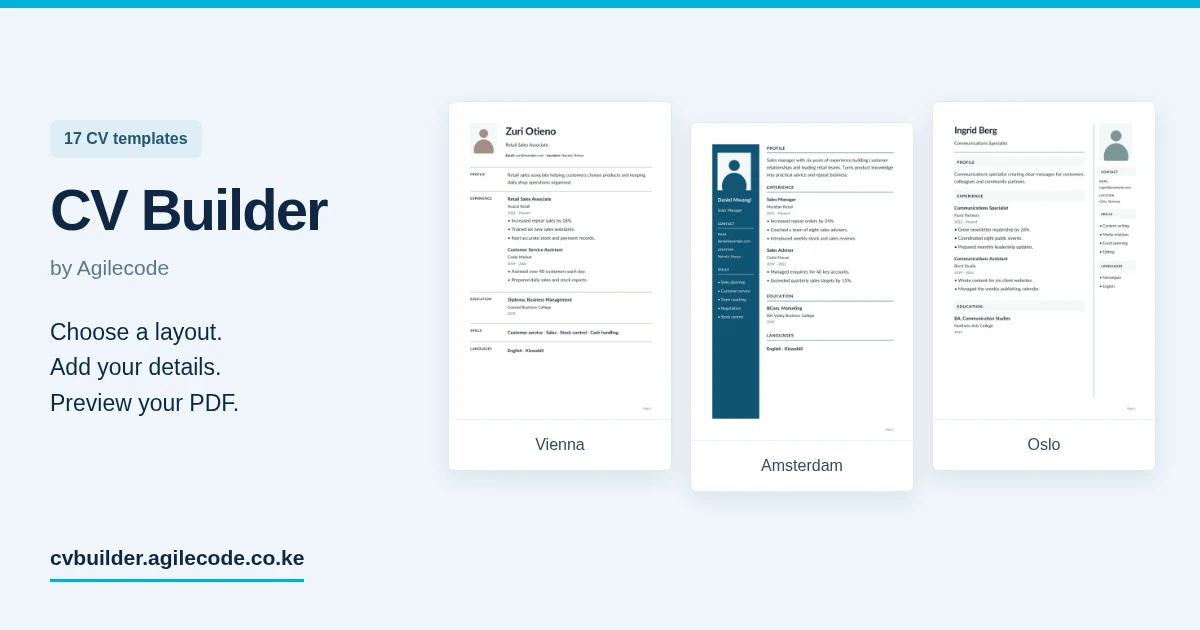
Choose from 17 CV templates
Compare complete examples before choosing a design. The collection includes Vienna, Oslo, Prague, Amsterdam, Stockholm, Lisbon, Copenhagen, Milan, Geneva, Nairobi, London, Paris, Tokyo, Sydney, Berlin, Toronto and Cape Town.
Filter the gallery by photo, layout and graphics. Try eight preset colours or use a custom colour in the editor. Choose from ten fonts, adjust the font size from 8 to 18 points, and add a photo if you want one. A clear one-column layout and a design with a details panel are both available.
Make room for the experience that matters
Add a profile, work experience, education and skills. You can also include projects, certifications, languages, references and interests. Change the order of the main sections so the information most relevant to the job is easy to find.
The PDF preview updates as you work. Make the preview column wider when you need to inspect line breaks, spacing or a second page. Your selected template, font and colour are used in the actual PDF.
Start now and return to your draft
You can begin before signing in. Guest drafts are saved in the browser you are using, so you can return on the same device. Sign in with email or Google to save CVs to your account, keep different versions and duplicate an existing CV for another application.
A browser draft stays on that browser. Use your account when you need to continue on another device or keep your saved CVs together.
Preview first, then download
Review your details before downloading. PDF downloads use the access available on your account. Where payment is needed, CV Builder offers a single-CV option, a day pass and subscriptions, with M-Pesa payment. Current access options and prices are shown in the app.
You can also share an eligible CV using a link after download access has been granted. Follow the employer’s instructions about the file format and documents to submit.
Our guide to using CV Builder covers first CVs, different applications, saved versions and PDF previews.
See all CV Builder features, compare the CV templates or open CV Builder.
CV Builder is part of the Agilecode product collection. For customer invoices and quotations, explore Invoiced. For product support, contact Agilecode.