
Create and Update Your CV with CV Builder
Use CV Builder for a first CV, a change of role or different applications. Compare 40 templates, save versions and review the actual PDF before sending it.
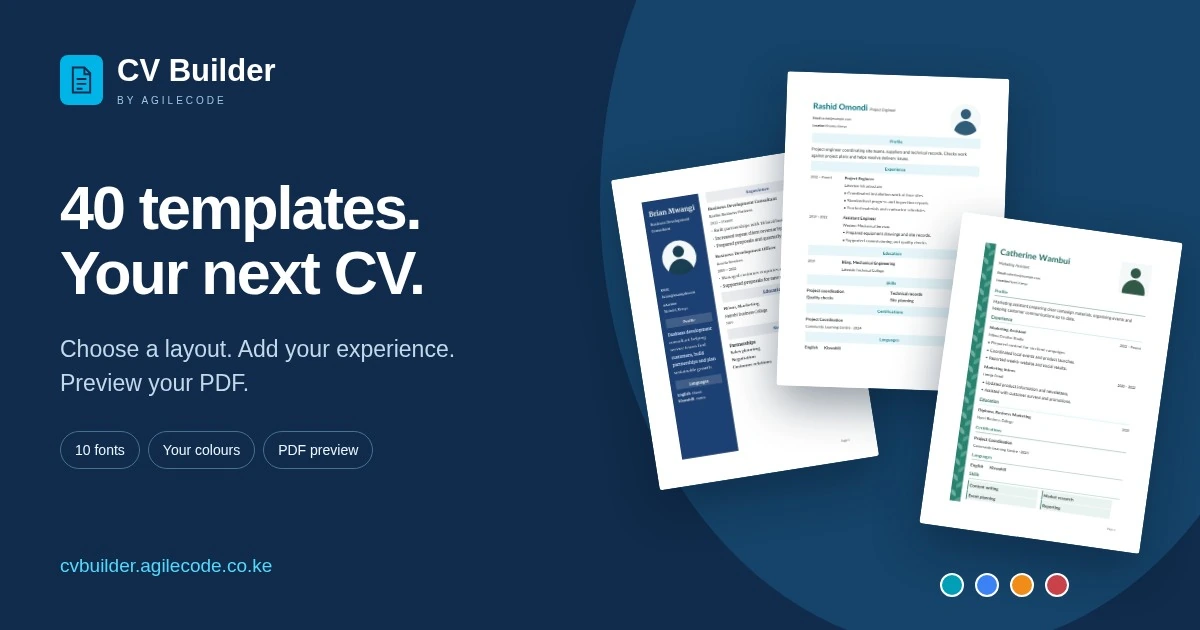
Your CV changes as your work changes. You may be applying for your first role, moving into a different field or updating a document you last used years ago. CV Builder by Agilecode gives you a place to prepare those details, compare layouts and keep versions for different applications.
The app runs in your browser. You can begin a draft before signing in, see the actual PDF preview as you work and choose from 40 CV templates.
Starting your first CV
If your work history is short, education, placements, projects and volunteer experience can help explain what you have learned and done. CV Builder includes separate sections for education, skills, projects, certifications and languages. You can put the most relevant sections near the top instead of leaving space for information you do not yet have.
Start with the details you can verify: course names, dates, practical work and the tools you know how to use. A clear example of something you completed is more useful than a long list of general qualities. The CV writing guide explains how to organise the information and write each section.
Applying for a different kind of role
A change of role often calls for a different emphasis. A customer service role might benefit from examples of handling enquiries and solving problems. An operations role might need more detail about scheduling, stock records or supplier coordination. Use your own experience to show the connection.
In CV Builder, you can reorder the main sections and edit the points under each job. Keep the dates and facts accurate while making the relevant work easier to find. You do not need to use every available section.
Keeping a version for each application
When you have a saved CV, duplicate it before preparing a version for another role. This gives you a separate document to adjust without replacing the version you already used. Give each version a useful name, such as Academic or Industry.
Add optional comments to keep track of each version and the changes you want to make. Comments stay with your account version; they are excluded from downloaded PDFs and shared CVs.
Sign in with email or Google to keep saved CVs in your account. A guest draft is stored in the current browser, which is useful when returning on the same device. Your account is the better option when you need to work from another device or manage several CVs.
Comparing layouts with your information in mind
The template gallery shows complete sample CVs, so you can compare the structure before you start. Vienna puts section labels in a narrow gutter. Oslo places contact details and skills in a right column. Prague has a coloured frame, while Nairobi uses a simple heading and fine rules.
The collection includes Mombasa, with a dark sidebar and matching name banner; Nakuru, with a coloured sidebar for education and skills; and Kisumu, with a full-width colour header and a round photo beside your name. Each layout works with or without a photo, and you can change its colour and font.
Kampala combines a dark photo sidebar with pale section bars. Kigali places a round photo in a pale heading, while Dar es Salaam pairs a photo with a clear date column. Lagos adds a narrow leafy border beside the main text.
Accra and Addis Ababa use centred serif headings and ruled sections. Cairo has a left-hand date column, and Dakar keeps details compact. Abuja and Johannesburg use fine coloured rules. Durban separates sections with pale bands.
Harare pairs a dark framed heading with facing columns separated by a fine rule. Lusaka uses serif headings, a large monogram and a slim contact column. You can add a photo in place of the monogram.
Maputo uses a framed heading and right-hand details column. Brisbane and Madrid have a dark framed name banner, while Rome uses a coloured photo sidebar. Gaborone places your profile beside an experience timeline. Melbourne has a split introduction followed by full-width sections, and Auckland pairs a two-tone name with a compact contact bar.
All gallery examples use fictional Kenyan names and locations. Use them to compare the designs, then add your own information to a blank CV.
Filter the examples by photo, one or two columns, and the amount of decoration. Photos are optional in your own CV. Follow any instructions from the employer, including requirements about the document format.
Try the eight gallery colours, then adjust the colour, font and size in the editor. There are ten fonts and sizes from 8 to 18 points. The best choice is one you can read comfortably with your actual content in place; changing a font can also change the line breaks and number of pages.
Every template starts at 11 pt with 1-inch (2.54 cm) page margins. Coloured sidebars follow the colour you select.
Each saved CV has an activity history with dates for recorded edits, photo changes, copies and downloads. The history cannot be edited.
Checking the PDF before sending it
The preview uses the actual document layout. Widen the preview column when checking spacing, contact details or how a section continues onto another page. Read the CV all the way through and check that dates, names and links are correct.
When you are ready, download the PDF using the access available on your account. If payment is needed, the app shows a single-CV option, a day pass and subscriptions, with M-Pesa payment. Check the current options before paying, and open the downloaded file once more before attaching it to an application.
CV Builder also supports sharing an eligible CV by link once download access has been granted. Use the method requested by the employer.
Try it with the application you are working on
Open a blank CV or choose a template, add your details and use the preview to review the result. You can save a draft and return when the remaining information is ready.
Read about CV Builder, see the full feature list or follow the CV writing guide. For freelance work, Agilecode also offers Invoiced for customer invoices and quotes.
If an employer requests a single PDF, combine your CV and certificates with PDF Tools. Follow the requested document order and check the final pages. Read our guide to preparing PDFs for sharing for file-size and conversion options.
Email your CV as a PDF
Pay through M-Pesa to email, share or download your CV. The Email popup starts with your account address and lets you choose another recipient. The PDF is attached, and the email body contains only the message you type. Save, email and download actions show progress and confirmation.
Tell us what you need to build.
Describe your project and the features you need.