How to create training certificates online with Agilecode
Prepare a recipient list, choose a certificate template and issue verifiable PDFs for your next training session or workshop.
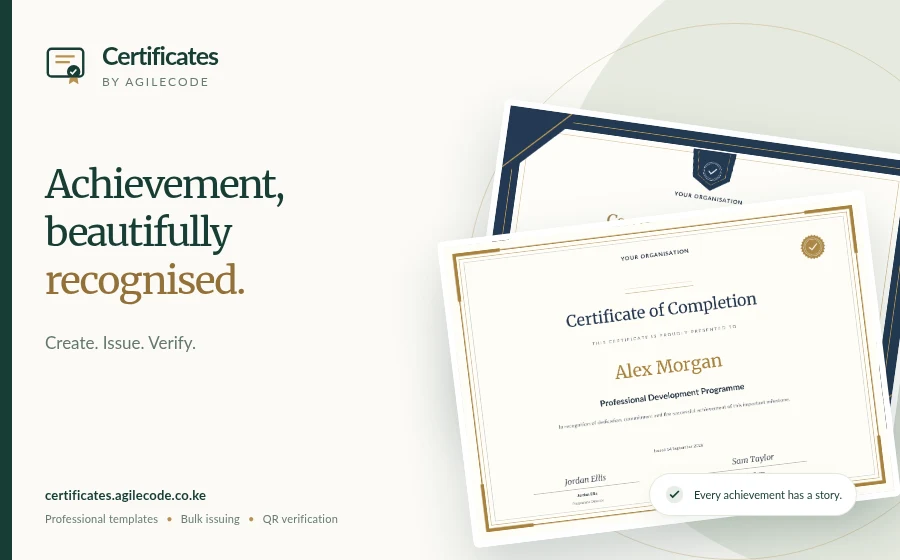
A good training session ends with a clear record of what people learned and completed. Certificates by Agilecode helps turn those records into personalised PDF certificates with a verification link for each recipient.
1. Decide what the certificate recognises
Use “completion” for a programme that was finished, “participation” for attendance, or “achievement” for a specific result. Write the course or event name clearly and avoid claims that imply an accreditation your organisation does not hold.
2. Prepare your list
Confirm names with participants, remove duplicates and keep a copy of the original attendance or assessment record. For a group, prepare a CSV using the example available in the certificate project. Include only information needed for the certificate.
3. Choose a template
Open the template gallery, create a project and add your organisation, title, wording and date. Upload an authorised logo or signature image if you want to use them. Check the longest name and course title in the preview.
4. Issue after review
Import or enter recipients and check their details. New accounts include 1 free certificate credit. Preview each recipient before issuing. Use a credit, pay for one certificate directly with M-Pesa, or buy a one-time credit pack for your group. A direct M-Pesa purchase issues the reviewed certificate after payment is confirmed, with repeat downloads included. See the current prices before paying.
5. Share PDFs and verification links
Download the issued certificates and share them with the intended recipients. Each certificate has a QR code and verification link that shows its recorded details and status. Anyone with the link can see those details, so explain the sharing arrangement to recipients.
Build a useful workshop workflow
Padivo can support discussions and feedback during the session. Invoiced helps prepare quotes and invoices for paid training, while PDF Tools helps organise supporting documents. Each product has its own account and pricing.
Read the bulk certificate guide or start creating certificates.
Tell us what you need to build.
Describe your project and the features you need.